

The Cruise Connectivity Conundrum: Why Ship Wi-Fi Isn't Always the Answer
Ah, the South Pacific. Imagine the endless turquoise, the swaying palms, the gentle lapping of waves against the hull of your magnificent cruise ship. It's a dream, truly. Until, that is, you realize you've just shelled out $150 for a week of ship Wi-Fi that barely loads a single webpage, let alone allows two kids to stream their favorite Disney+ shows simultaneously. Believe me, I've been there, staring at a buffering screen while a small voice asks, "Mom, why isn't Bluey working?"
Traditional cruise ship internet, while a technological marvel in its own right, often comes with a hefty price tag and, frankly, inconsistent performance. It's a satellite connection, after all, shared among thousands of passengers. For families, this translates into a daily battle for bandwidth, especially when you have children accustomed to instant gratification on their iPads or Nintendo Switches. Relying solely on ship Wi-Fi for everything from checking port information to keeping the teens off your back can quickly become a source of frustration, and an unexpected dent in your vacation budget. Plus, those parental controls you so carefully set up at home? They often go right out the window when you're relying on a shared, unsecured network.
The Hidden Costs and Frustrations of Onboard Internet
Let's be real, cruise lines are in the business of selling experiences, and connectivity is often presented as a premium add-on. Those "unlimited" packages frequently come with speed throttles and restrictions, making even simple tasks like uploading a photo to Instagram a test of patience. And for families, it's not just about you. It's about ensuring your kids can access their educational games, stay in touch with friends via approved messaging apps, or simply decompress with a favorite show after a long day of exploring. When the ship's Wi-Fi can't deliver, those small moments of peace for parents can quickly evaporate.
Why 'Just Disconnect' Isn't Always Practical
While the idea of a digital detox on a remote island sounds idyllic, the reality for modern families is a bit more nuanced. We use our phones for everything, don't we? From Google Maps to find the best gelato shop in Port Vila, to quickly translating a menu in Suva, to checking the ship's daily schedule or confirming shore excursion details. And let's not forget the peace of mind that comes with knowing you can reach home in an emergency, or that your teenager can reach you if they wander a bit too far in a bustling market. For these essential functions, reliable and affordable data is not a luxury, it's a necessity.
What Exactly is an eSIM, and Why Does it Matter for Family Cruises?
If you're still carrying around a little tray of plastic SIM cards from every country you've visited, or meticulously swapping them out at each new port, then prepare for a revelation. An eSIM, or embedded SIM, is a digital SIM card that's built directly into your phone. It's a game-changer for international travel, especially for multi-country itineraries like a South Pacific cruise.
Think of it this way: instead of physically inserting a tiny chip, you simply download a "profile" onto your phone. This profile contains all your network information for a specific country or region. No more fiddling with ejector tools, no more losing tiny cards, and certainly no more trying to explain to a local vendor that you need a "data-only prepaid SIM" while gesturing wildly. For a family cruising through a dozen different island nations, this means you can seamlessly switch between local networks as you arrive in each new port, often at a fraction of the cost of traditional roaming.
The Magic of Multi-Country Connectivity
The real beauty of an eSIM for a South Pacific cruise is its ability to handle multiple network profiles. You could have a profile for Fiji, another for Vanuatu, and yet another for New Caledonia, all stored on your phone. As your ship pulls into a new port, your phone can automatically connect to the local network using the appropriate eSIM profile. This isn't just convenient, it's brilliant for reducing stress. No last-minute scrambles for local SIM cards at the port, no worrying about whether your phone will work, and crucially, no unexpected roaming charges when you accidentally cross a maritime border (yes, it happens!).
Compatibility: Checking Your Devices
Most modern smartphones, especially those released in the last few years, are eSIM compatible. iPhones from the XS and newer, Google Pixel phones from the Pixel 3 onwards, and many Samsung Galaxy models (S20 series and newer) support eSIMs. Even some tablets and smartwatches are getting in on the act, which is fantastic for keeping the kids' devices connected if you choose to. Before you sail, quickly check your specific device model online. It takes about two minutes and saves a lot of headaches later. If you're unsure, a quick visit to our FAQ section can help clarify compatibility.
Picking the Right eSIM Plan for Your South Pacific Voyage (And Your Kids' Devices)
This is where my inner travel planner truly shines. Choosing an eSIM plan isn't just about getting data, it's about getting the right amount of data for your family's specific needs, especially when you have little streamers in tow. My rule of thumb for family travel is always to overestimate, within reason. It's far better to have a bit of data left over than to run out mid-adventure, particularly when you're relying on it for navigation, communication, or, let's be honest, keeping the peace with a well-timed episode of Spidey and His Amazing Friends.
For a family with two kids, say ages 7 and 10, who enjoy a bit of YouTube Kids and Disney+, you're going to need a robust plan. Remember, video streaming eats data like nobody's business. A 15-day cruise visiting 5-7 islands? I'd look for a regional South Pacific plan that offers at least 20-30GB of data, shared across your primary device and potentially a second for a child's tablet via hotspot. If your cruise includes a stop in a larger country like New Zealand, you might consider a dedicated New Zealand eSIM for better local rates and coverage during that specific leg of the journey.
Understanding Data Needs: A Family Breakdown
Here's a rough guide to help you quantify your family's data consumption:
- Basic Messaging (WhatsApp, iMessage): 50-100MB per day, per person. Very low impact.
- Maps and Navigation (Google Maps, Apple Maps): 100-200MB per hour of active navigation. Moderate impact.
- Social Media (Instagram, Facebook, TikTok): 300-500MB per hour, depending on video consumption. High impact.
- Streaming Music (Spotify, Apple Music): 150-250MB per hour. Moderate impact.
- Streaming Video (Disney+, Netflix, YouTube): 1GB per hour for standard definition, 3GB+ per hour for HD. Very high impact. This is your biggest data guzzler.
- Gaming (Roblox, Switch Online): Varies wildly. Simple online games might be 50MB/hour, complex ones 500MB+/hour.
For my family, with two kids who love their screens, I budget for about 2-3GB of shared data per day just for their entertainment and my essential navigation/communication needs when we're off the ship. On sea days, if we decide to hotspot for a bit, that number can easily double. So, for a 10-day cruise, a 20-30GB plan is my absolute minimum.
Regional Plans vs. Single-Country eSIMs
When cruising the South Pacific, you'll encounter a patchwork of countries: Fiji, Vanuatu, New Caledonia, maybe even a quick stop in the Kingdom of Tonga or Samoa. This is where regional eSIMs truly shine. Instead of buying individual eSIMs for each tiny island nation, a regional plan covers multiple countries under one umbrella. This simplifies activation and management immensely.
| Plan Type | Best For | Pros | Cons |
|---|---|---|---|
| Regional South Pacific eSIM | Multi-country cruises, general family use | Single activation, consistent coverage across many islands, often better value per GB | May not cover every single tiny island, speeds might vary by local partner |
| Single-Country eSIMs | Longer stays in one specific country, deep dives into a particular culture | Potentially higher data allowances, faster speeds (local carrier priority), very specific coverage | Requires activation in each new country, more management, more individual purchases |
| Cruise Ship Wi-Fi Package | Very minimal use, emergencies while at sea | Convenience of onboard support, works everywhere the ship does | Extremely expensive, often slow, unreliable, less privacy, rarely suitable for streaming |
Pre-Flight Prep: Loading Up Devices Before You Set Sail
The key to a smooth family cruise, and indeed any family travel, is preparation. This isn't just about packing sunscreen, it's about digital readiness. Before you even set foot on the plane, let alone the ship, ensure all your devices are loaded with the essentials. Trust me, you do not want to be trying to download an app on a shaky airport Wi-Fi connection, or worse, with limited ship data.
Essential Apps for Offline Use
This is my golden rule: if it can be downloaded for offline use, do it. For the kids, this means:
- Netflix/Disney+/YouTube Kids: Download a good selection of movies and TV show episodes directly to their tablets. Many streaming services allow this, and it's a lifesaver for long flights, sea days, or even just quiet time in the cabin.
- Games: Ensure all their favorite games are fully downloaded and updated. Check for any in-app purchases that might require an internet connection, and complete them at home.
- Books/Audiobooks: Load up the Kindle app or Audible with plenty of options. A good story can be just as engaging as a screen, and it's 100% data-free.
For adults, focus on:
- Offline Maps: Download the entire region you're visiting in Google Maps or Maps.me. This is invaluable for navigating unfamiliar towns when your eSIM might not have kicked in yet, or if you lose signal.
- Translation Apps: Google Translate or iTranslate allow you to download language packs for offline use. Perfect for those moments when you're trying to order a specific dish or ask for directions.
- Cruise Line App: Most cruise lines have an app for daily schedules, restaurant bookings, and onboard messaging. Download it and familiarize yourself with it before you go.
Activating Your eSIM Before Departure
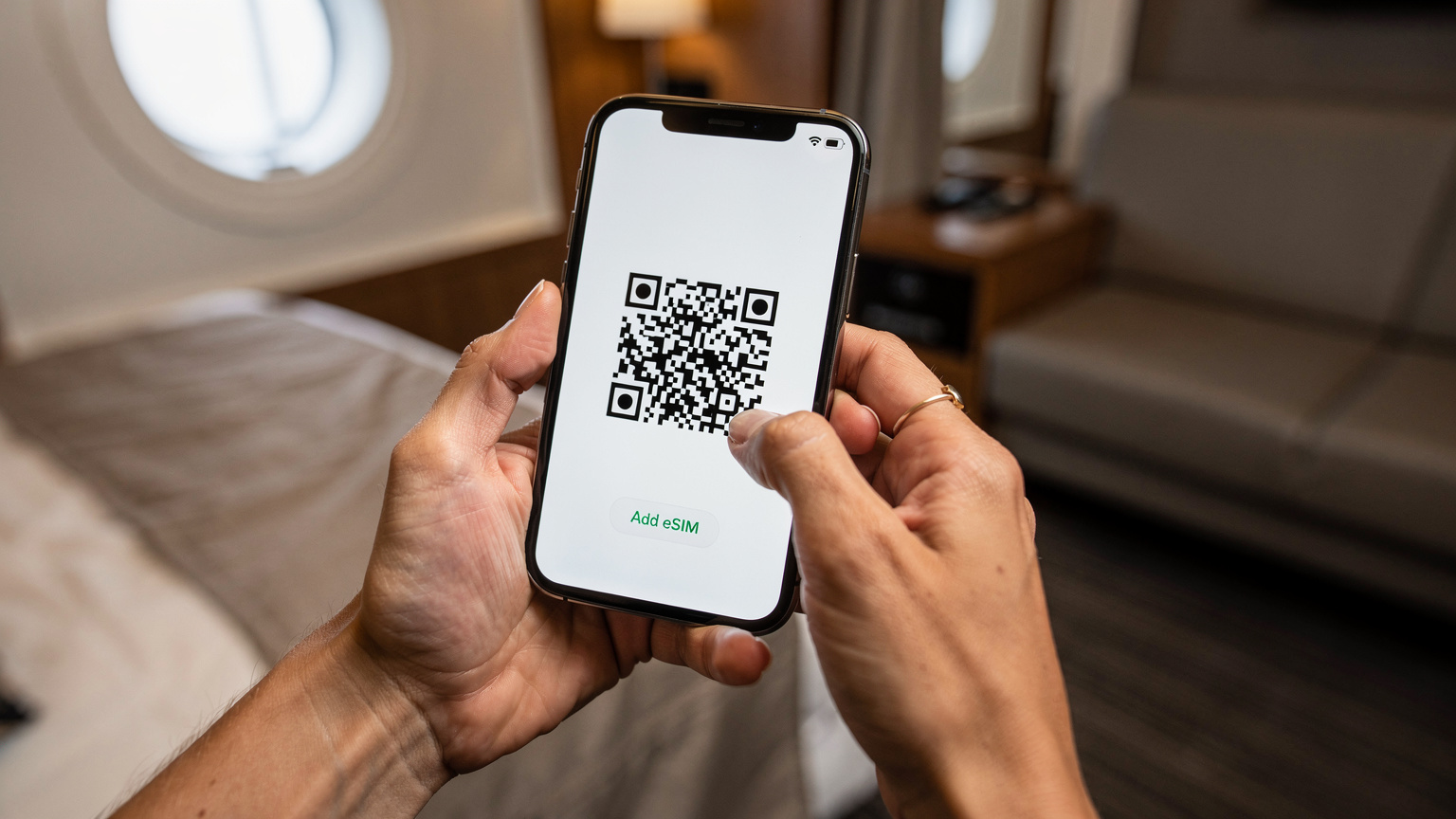
The beauty of an eSIM is that you can often purchase and activate it well before you leave home. I recommend installing your eSIM profile on your phone a day or two before your flight. This ensures it's ready to go the moment you land or reach your first port. You don't need to turn it on immediately, but having it installed means one less thing to worry about when you're juggling luggage and excited children. Just make sure to read the activation instructions carefully; some plans activate immediately upon installation, while others only start counting data once they connect to a network in the destination country. My typical routine involves activating the eSIM as a secondary line, keeping my primary home line active (but on Wi-Fi only mode) until I need to make sure the eSIM is fully functional once we reach the destination. For more detailed steps on activation, check out our guide on Cruise Connectivity 2026.
On-Shore Adventures: Staying Connected in Port
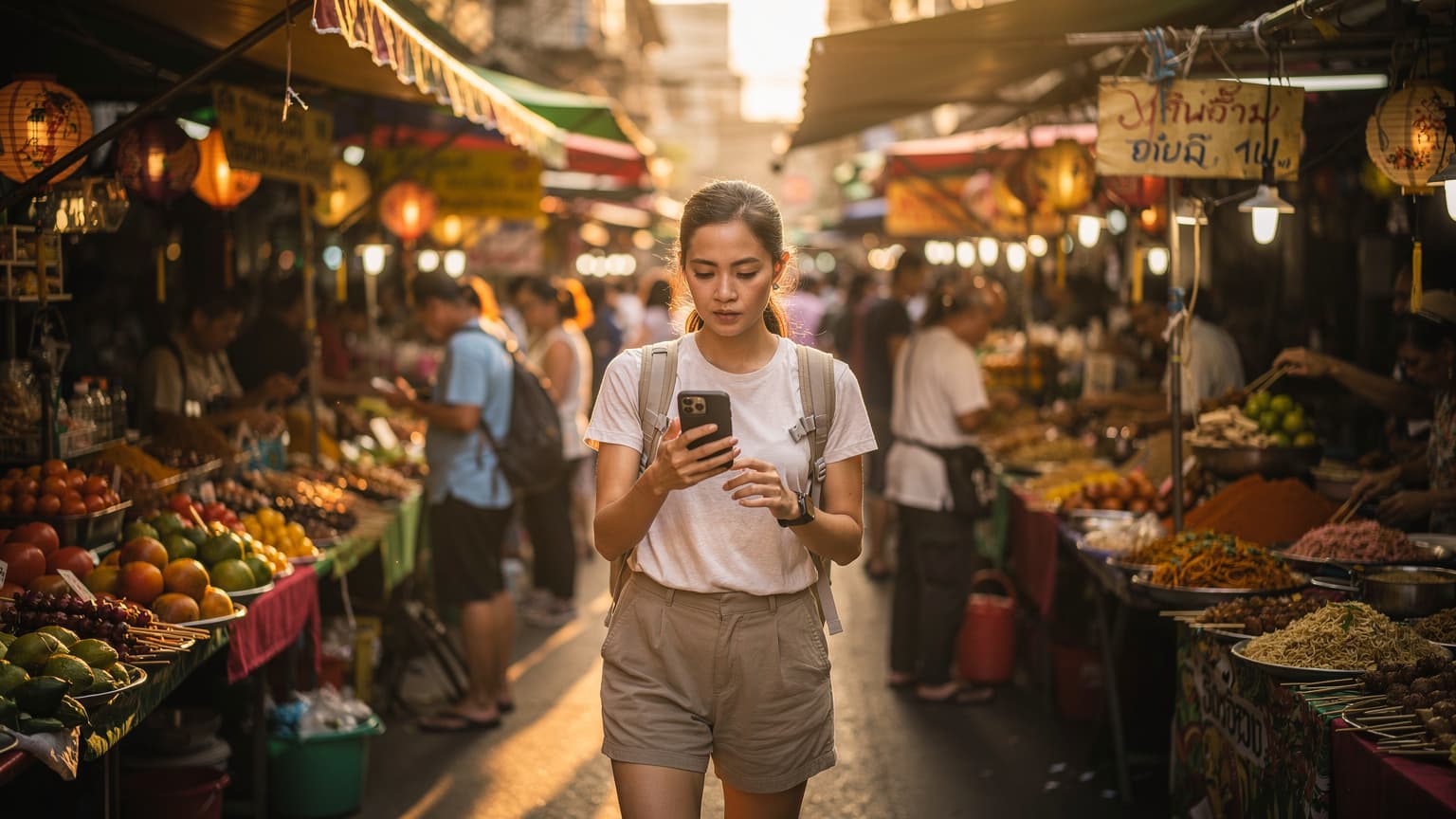
This is where your eSIM truly shines. As your ship docks in Suva, Fiji, or Port Vila, Vanuatu, your phone, with its activated eSIM, will automatically connect to the local cellular network. No fumbling for Wi-Fi passwords at a cafe, no hunting for a local SIM card shop, just instant data. It's like magic, but better, because it's reliable.
You can use Google Maps to navigate the local markets, find that hidden waterfall, or locate the best spot for a traditional kava ceremony (maybe skip the kava for the kids!). Staying connected means you can quickly look up opening hours for attractions, check reviews for restaurants, or even share a quick photo of the stunning scenery with family back home. This freedom to explore without connectivity worries is invaluable, especially when you're trying to keep track of a family on the go.
Navigating Theme Parks and Bustling Ports
Many South Pacific cruises also feature stops at larger ports or even private islands with dedicated attractions, some of which might feel like mini theme parks. Think of the buzz around a bustling port market or a curated island experience. In these situations, cellular connectivity is often far superior to any patchy Wi-Fi offered by local vendors. You can use your phone to:
- Coordinate with family: If your kids are old enough to explore a designated area on their own, a quick text or call ensures peace of mind.
- Access digital tickets or reservations: Many tours and attractions now use QR codes or digital passes.
- Emergency contact: Knowing you have a reliable connection in case of any unforeseen circumstances is paramount.
The ability to instantly connect and use your phone as you would at home, without worrying about exorbitant costs, transforms your shore excursions from a potential stress point into genuinely relaxed exploration.
Hotspotting for the Family's Devices
One of the most powerful features of an eSIM is the ability to use your primary phone as a personal hotspot. This means you can share your eSIM's data connection with your children's tablets, smartwatches, or even a second phone. If I have a 20GB regional plan, I can use my phone for my needs, and then hotspot the kids' iPads when they need to quickly look something up for a school project (yes, we do those on cruises!) or stream a short video while we're waiting for our transfer back to the ship. Just be mindful that hotspotting can drain your phone battery faster, so a portable power bank is always a good idea.
The Dreaded Mid-Cruise Data Drain: Topping Up Your eSIM
It happens to the best of us, even the most meticulous planners. You're halfway through your South Pacific adventure, the kids have discovered a new show they simply MUST binge, and suddenly, that dreaded notification appears: "You have used 90% of your data." Panic? Not with an eSIM. This is where their flexibility truly shines, especially compared to a locked-in physical SIM or an expensive ship Wi-Fi package.
With an eSIM, topping up is usually a quick, online process. You don't need to find a local store, battle a language barrier, or wait for the ship to dock. Most eSIM providers allow you to purchase additional data packages directly through their app or website, which can be done even if you're on a ship's Wi-Fi (if you have it) or using a tiny sliver of remaining eSIM data. This flexibility means you're never truly stranded, and you can adjust your data plan on the fly to accommodate unexpected usage spikes. It's like having a digital vending machine for data, always available.
Step-by-Step: Topping Up Your eSIM
Here’s a general guide for topping up your eSIM, though specifics might vary slightly by provider:
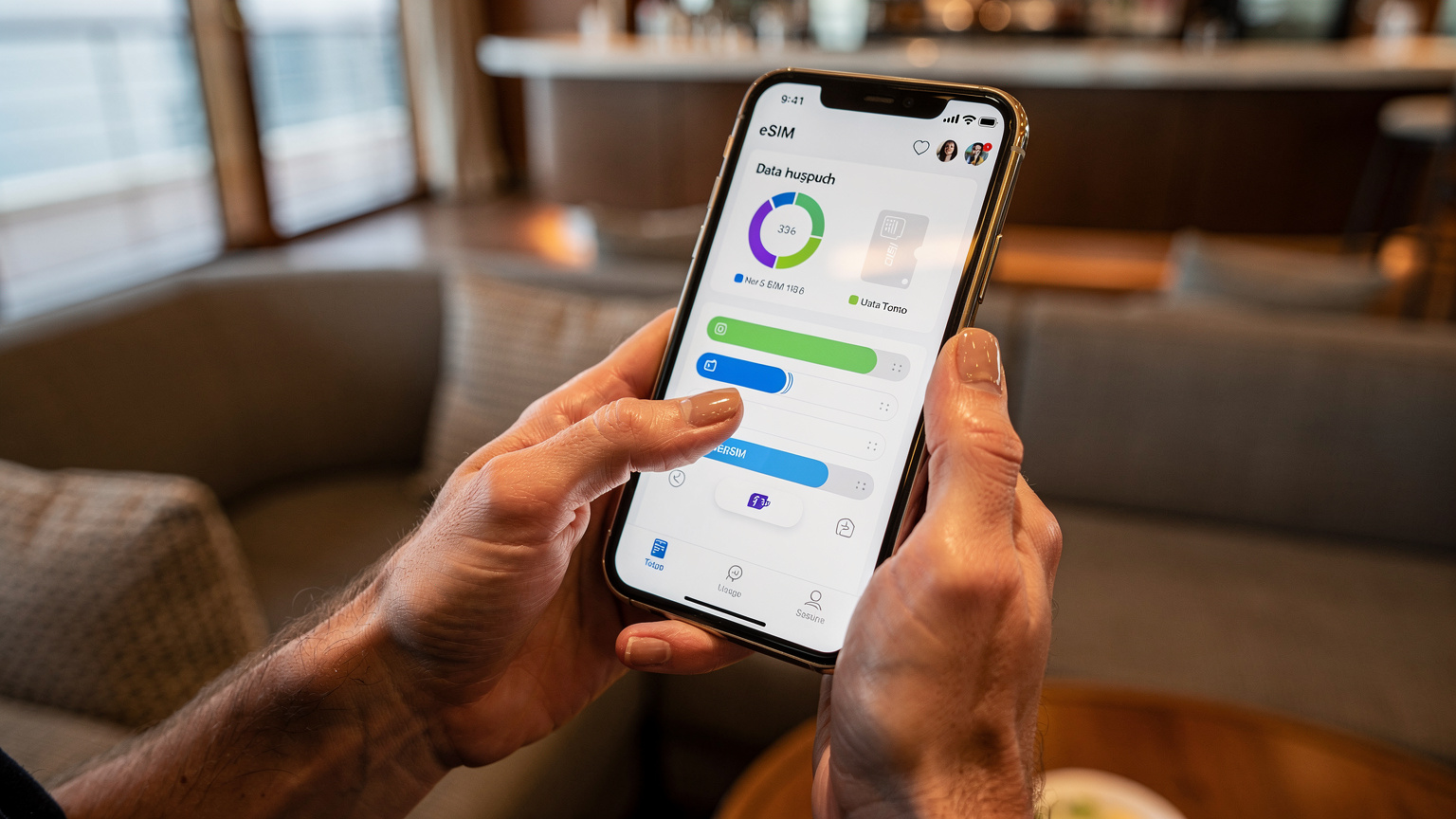
- Check Your Current Usage: Most eSIM providers have an app or a dedicated web portal where you can monitor your remaining data. Do this regularly, especially after a heavy streaming session.
- Log into Your Account: Access your SouthESIM account via their app or website. You might need to do this using Wi-Fi if your data is very low.
- Browse Available Top-Up Plans: Look for data add-ons or new plans for the region you're currently in or heading to. Often, you can purchase a smaller, supplementary package to get you through the rest of your trip.
- Select and Purchase: Choose the data amount you need and complete the purchase. Payment is typically by credit card or other online payment methods.
- Activation: The new data often activates immediately or within a few minutes. You might receive a confirmation email or in-app notification.
- Restart (Optional, but Recommended): Sometimes, toggling your phone's airplane mode off and on, or a quick restart, can help the new data package register faster with the network.
When to Consider a New Regional Plan
Sometimes, if your data needs significantly change or you find yourself cruising for longer than anticipated, it might make more sense to purchase an entirely new regional eSIM plan rather than repeatedly topping up a smaller one. This is particularly true if you’re moving into a different coverage zone that your initial plan didn’t adequately cover. Always compare the per-GB cost of a top-up versus a new, larger plan. It's a bit like buying a bigger suitcase when you realize you've over-shopped on souvenirs – sometimes it's just more economical in the long run.
Managing Screen Time and Parental Controls with eSIM
This is a topic close to every parent's heart, isn't it? The delicate balance between allowing kids to enjoy their devices and ensuring they're not glued to a screen 24/7, especially on a fantastic cruise. The good news is that using an eSIM for your family's connectivity doesn't compromise your ability to enforce screen time limits or parental controls. In fact, it can even enhance them, giving you more granular control than a shared, open ship Wi-Fi network.
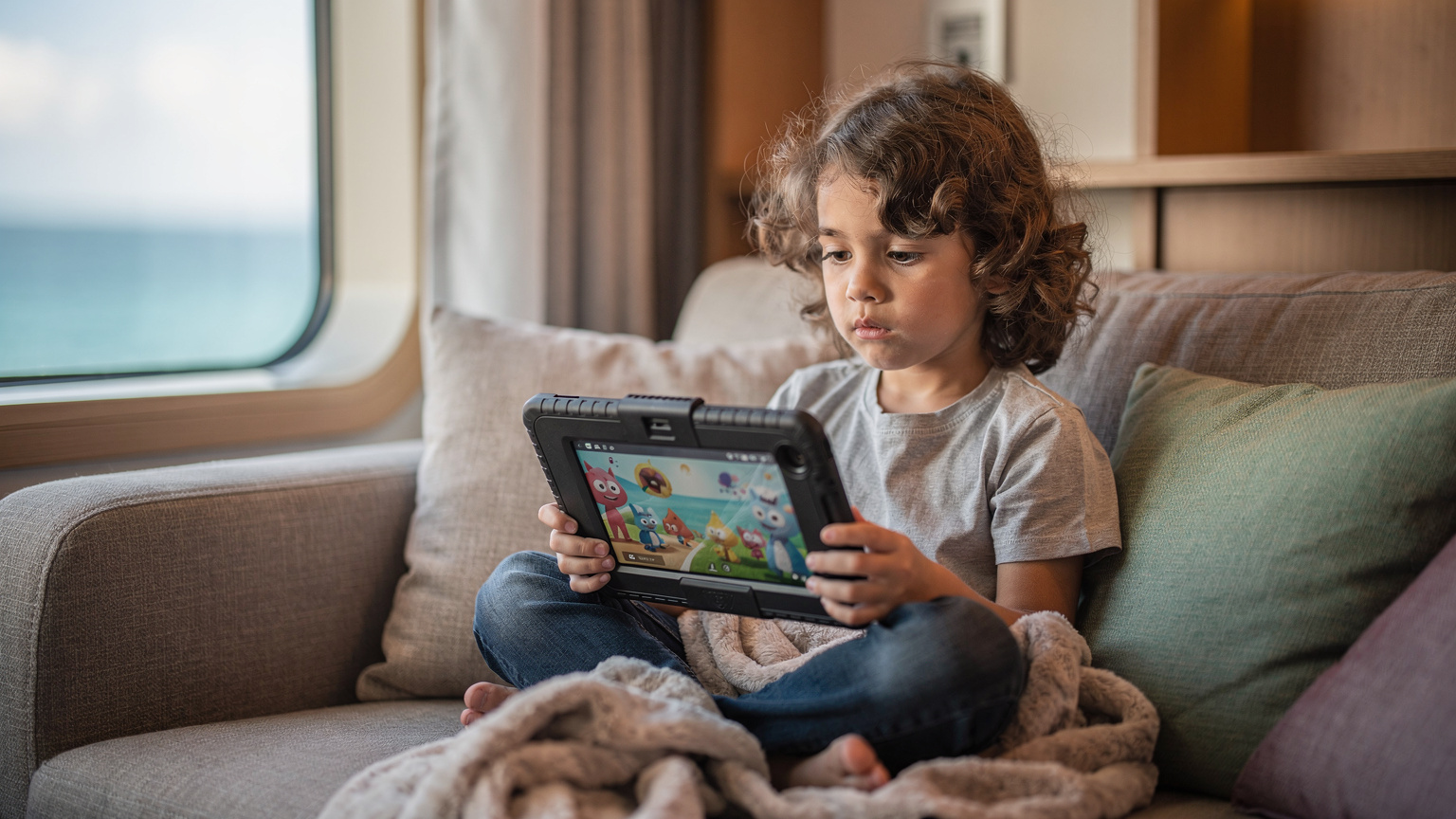
When you're using your own data connection (whether directly on a child's eSIM-enabled device or via hotspot from your phone), you retain full control over the internet access. This means all those careful settings you've established at home, like Apple's Screen Time or Google's Family Link, continue to function exactly as they should. You can pause internet access for specific apps, set daily time limits, or even schedule downtime for devices. It's a significant advantage over ship Wi-Fi, where all devices are on the same network, making individual control much harder.
Implementing Device-Specific Limits
Here's how I manage it with my kids' iPads and phones:
- Individual eSIMs for Older Kids: For my pre-teen, who has her own phone, I'll sometimes get her a small, dedicated eSIM plan. This allows her a degree of independence but also means I can set very specific data limits and monitor her usage. Once her data is gone, it's gone. No more streaming until the next top-up, which encourages mindful usage.
- Hotspot with Time Limits: For younger children using a tablet, I connect them to my phone's hotspot. I then use my phone's built-in parental controls (like Screen Time on an iPhone) to set timers for when their device can access the internet via my hotspot. This means even if they're on a private island with great connectivity, their internet access is still dictated by my rules.
- Pre-Downloaded Content is King: This goes back to preparation. Most of their entertainment comes from pre-downloaded content, which doesn't use any data at all. Internet access is reserved for checking messages, looking up information, or very short, supervised streaming sessions.
By maintaining control over the internet source, you maintain control over the internet usage. It's a simple, yet incredibly effective strategy for family travel.
The Digital Detox Day (or Hour)
Sometimes, the best parental control is simply turning off the internet. A cruise, especially in the stunning South Pacific, is a perfect opportunity for a digital detox day. With an eSIM, you have the flexibility to do this. You can simply turn off the data on your children's devices, or even your own, and encourage them to engage with the ship's activities, read a physical book, or simply gaze out at the ocean. The eSIM gives you the power to choose when and where your family connects, rather than being at the mercy of the ship's always-on, often-expensive Wi-Fi. It’s about being intentional with connectivity, a lesson I learned while trying to pull a teenager away from Roblox during a stunning sunset in Santorini, which, surprisingly, an eSIM for Greece made possible by cutting off their data!
Myth vs. Reality: eSIM Connectivity Aboard the Ship
A common question I get in my travel planning groups is, "Will my eSIM work while I'm actually on the cruise ship, sailing between islands?" This is where we need to separate myth from reality. The short answer is: mostly no, but with important caveats and exceptions.
When your ship is out at sea, far from any land-based cellular towers, your eSIM (or any local SIM card, for that matter) will not have a signal. This is because cellular networks are terrestrial, designed for landmasses and coastal areas. Out in the vastness of the ocean, you're relying on satellite communication, which is what the ship's expensive Wi-Fi system taps into.
However, this doesn't mean your eSIM is useless on board. It means you need to be strategic. The moment your ship pulls within range of a cellular tower, typically when you're approaching or docked at a port, your eSIM will spring to life. This means you'll have connectivity for those crucial hours or days you're in port, or even as you're sailing close to an island. The key is understanding these geographical limitations and planning your usage accordingly.
When Your eSIM Will Work (and When it Won't)
Let's break it down:
Your eSIM WILL work when:
- Docked in Port: The moment your ship is tied up at a pier in Fiji, Vanuatu, New Caledonia, etc., your eSIM should connect to the local network, providing full data, call, and text services.
- Sailing Close to Shore: As your ship approaches or departs from an island, you'll often pick up a signal from coastal towers. This can extend a few miles out to sea, depending on the tower's strength and location.
- Within Range of Specific Island Towers: Some larger, more developed islands might have stronger signals that reach further into the sea, offering intermittent connectivity even when not directly in port.
Your eSIM WILL NOT work when:
- Out in the Open Ocean: In the vast stretches of the South Pacific between islands, there are no cellular towers. Your phone will show "No Service." This is normal and expected.
- Using the Ship's Satellite Network: The ship's internal network (for its Wi-Fi) is separate from any terrestrial cellular network. Your eSIM cannot connect to this.
This reality means you need to leverage your eSIM strategically during port days and rely on pre-downloaded content or the ship's Wi-Fi (if purchased) for sea days. It's a hybrid approach that offers the best of both worlds.
What About Emergency Calls at Sea?
In a genuine emergency while out at sea, the ship's communication systems are your primary lifeline. They have satellite phones and emergency channels. Your personal eSIM, like any other mobile phone, will not work for calls or data when there's no cellular signal. This is why having some communication plan for emergencies, even if it's just knowing the ship's emergency contact procedures, is vital. For communication with family back home on sea days, if it's truly urgent, the ship's expensive Wi-Fi or their satellite phone service would be your only option. However, for most day-to-day needs, planning around your eSIM for port connectivity is the smartest move.
The Cost Comparison: eSIM vs. Ship Wi-Fi vs. Roaming
Let's talk money, because for any family travel planner, budget is always a key consideration. When it comes to connectivity on a South Pacific cruise, you essentially have three options, and their price points and value vary dramatically. Understanding this comparison is crucial to making an informed decision that saves you both money and headaches.
Traditional Roaming: The Most Expensive Trap
First, let's get the absolute worst option out of the way: traditional international roaming with your home carrier. Unless you have a very specific, affordable international roaming package (which are rare for multi-country cruises), this will be your most expensive mistake. I've heard horror stories of parents coming home to bills running into hundreds, even thousands, of dollars because their kids accidentally streamed YouTube for an hour or two while in port. Your home carrier sees each island as a separate country, charging exorbitant per-MB rates. Avoid this at all costs. It's like paying $40 for a single kid's chicken nugget meal in the ship's specialty restaurant, when there's a perfectly good, free buffet option just downstairs.
Cruise Ship Wi-Fi: Convenience at a Premium
Ship Wi-Fi packages offer the convenience of potentially working throughout the cruise (even at sea), but they come at a significant premium and often with performance limitations. Here's a typical breakdown:
| Provider Type | Typical Cost (per day) | Typical Data/Speed | Best For |
|---|---|---|---|
| Cruise Ship Basic Wi-Fi | $15 - $25 USD | Low speed, text/email only, no streaming | Checking urgent emails, basic messaging, very light browsing |
| Cruise Ship Premium Wi-Fi | $25 - $40+ USD | Moderate speed, some social media, limited streaming | Occasional video calls, light social media, very limited streaming (one device) |
| Cruise Ship "Unlimited" Package | $300 - $600+ USD (for 7-10 days) | Variable speed, often throttled after a certain threshold, suitable for 1-2 users | Families who MUST have constant connectivity at sea and don't mind the cost |
These prices add up quickly, especially for a family with multiple devices. A 7-day premium package could easily run you $280, and for that price, you could almost buy a new tablet! Plus, the speeds are rarely comparable to land-based connections.
eSIMs: The Smart, Affordable Alternative
This is where eSIMs win, hands down. For a fraction of the cost of ship Wi-Fi, you can get significantly more data, often at faster, local 4G/5G speeds, when you're in port. Let's look at some illustrative examples for a 10-day South Pacific cruise visiting 5-6 islands:
| Option | Estimated Cost for 10 Days | Data/Coverage | Pros | Cons |
|---|---|---|---|---|
| SouthESIM Regional Plan | $30 - $60 USD (e.g., 20GB for 15 days) | 20GB+, 4G/5G in port, covers multiple countries | Best value, high speed in port, flexible, easy top-ups, retains parental controls | Doesn't work in open ocean, requires eSIM compatible device |
| Individual Local SIMs (Physical) | $50 - $100 USD (buying 5-6 SIMs) | Variable, depends on local provider in each country | Local speeds, direct local support | Time-consuming to buy/swap, potential activation issues, easy to lose cards |
| Home Carrier Roaming | $200 - $1000+ USD (depending on usage) | Standard roaming rates, often slow | Convenient (no setup) | Extremely expensive, high risk of bill shock, often throttled |
As you can see, an eSIM offers the best balance of cost, convenience, and performance for families exploring the South Pacific. You get reliable data where you need it most (in port), without breaking the bank, and without the hassle of managing physical SIM cards. It’s a no-brainer for budget-conscious parents.
My Top Tips for a Seamless South Pacific Family Cruise
After many years and countless miles, I've distilled my family travel wisdom into a few key takeaways. Planning is the love language of travel, and nowhere is that more true than on a cruise with kids. Here are my absolute best tips for making your South Pacific cruise connected and stress-free, with your eSIM leading the charge.
The Planning Checklist: A Week Before Departure
- Check eSIM Compatibility: Confirm all family devices (your phone, older kids' phones, maybe even a tablet) are eSIM compatible.
- Purchase and Install eSIMs: Buy your regional South Pacific eSIM plan from SouthESIM a week before you leave. Install the profiles on all necessary devices but keep them toggled off until needed. Consider a dedicated eSIM for Fiji if you're spending significant time there.
- Download Offline Content: Load up every device with movies, TV shows, games, audiobooks, and offline maps for all destinations. This is your insurance policy against data droughts.
- Charge Everything: Ensure all devices, power banks, and portable chargers are fully charged. Pack extra charging cables.
- Set Parental Controls: Double-check screen time limits and content restrictions on all devices, especially for younger users.
Onboard and In-Port Best Practices
- Prioritize Port Data: Use your eSIM data liberally when in port for navigation, communication, and any essential online tasks. Hotspot the kids' devices for short bursts as needed.
- Sea Day Strategy: For sea days, revert to pre-downloaded content. If you've purchased ship Wi-Fi, use it sparingly for essential communication, not streaming.
- Monitor Data Usage: Regularly check your eSIM app for data consumption. Top up proactively if you see usage climbing faster than expected.
- Portable Charger is Your Best Friend: Hotspotting and heavy data use drain batteries quickly. A fully charged power bank, capable of charging multiple devices, is essential.
- Communicate with Your Family: Set clear expectations with your children about when and how they can use their devices and access data. Knowing the rules upfront reduces arguments later.
A South Pacific cruise is an incredible adventure, a chance to make lifelong family memories. By embracing the power and flexibility of an eSIM, you can ensure those memories are filled with sunshine and smiles, not frustrating connectivity issues or unexpected bills. Happy cruising!
Frequently Asked Questions
Can I use an eSIM on my child's tablet during a South Pacific cruise?
Yes, if your child's tablet is eSIM compatible, you can install an eSIM directly onto it. Alternatively, you can use your smartphone with an eSIM as a personal hotspot to share data with their tablet, allowing them to access apps and stream content when in port or near shore.
How much data will my family need for a 10-day cruise with two kids?
For a family of four, including two kids who enjoy streaming, a regional eSIM plan with at least 20-30GB of data for a 10-day cruise is a good starting point. Factor in about 1GB per hour for standard definition video streaming. Pre-downloading content before your trip is highly recommended to reduce data consumption.
Will my eSIM work inside theme parks or on private cruise islands?
Yes, an eSIM will work perfectly inside theme parks or on private islands as long as there is local cellular network coverage. These locations are typically well within range of land-based towers, providing reliable 4G/5G speeds for navigation, communication, and sharing photos.
Can I use parental controls with an eSIM on my children's devices?
Absolutely. Since an eSIM uses your phone's cellular connection, all your device's built-in parental controls, such as Apple Screen Time or Google Family Link, will continue to function. You can set screen time limits, content restrictions, and even pause internet access for specific apps or devices when hotspotting.
What happens if my eSIM data runs out mid-cruise?
If your eSIM data runs out, you can easily purchase a top-up package directly through the SouthESIM app or website. This can typically be done using any available Wi-Fi connection (like the ship's Wi-Fi, if purchased, or a cafe's Wi-Fi in port). The new data package will usually activate within minutes.
Is an eSIM better than the ship's Wi-Fi for a family cruise?
For connectivity in port, an eSIM is generally superior. It offers faster speeds and significantly better value per GB compared to expensive ship Wi-Fi packages. Ship Wi-Fi is often slow and costly, especially for streaming, making an eSIM the more practical choice for data needs during shore excursions and near coastal areas.
Can I use my eSIM for calls and texts, or just data?
Most SouthESIM plans are data-only, perfect for internet-based calls (like WhatsApp or FaceTime Audio) and messaging apps. If you need traditional call and text capabilities, some eSIMs may offer this, or you can use your home number with Wi-Fi Calling enabled on a secondary Wi-Fi network provided by the ship while at sea, or through your eSIM when in port.