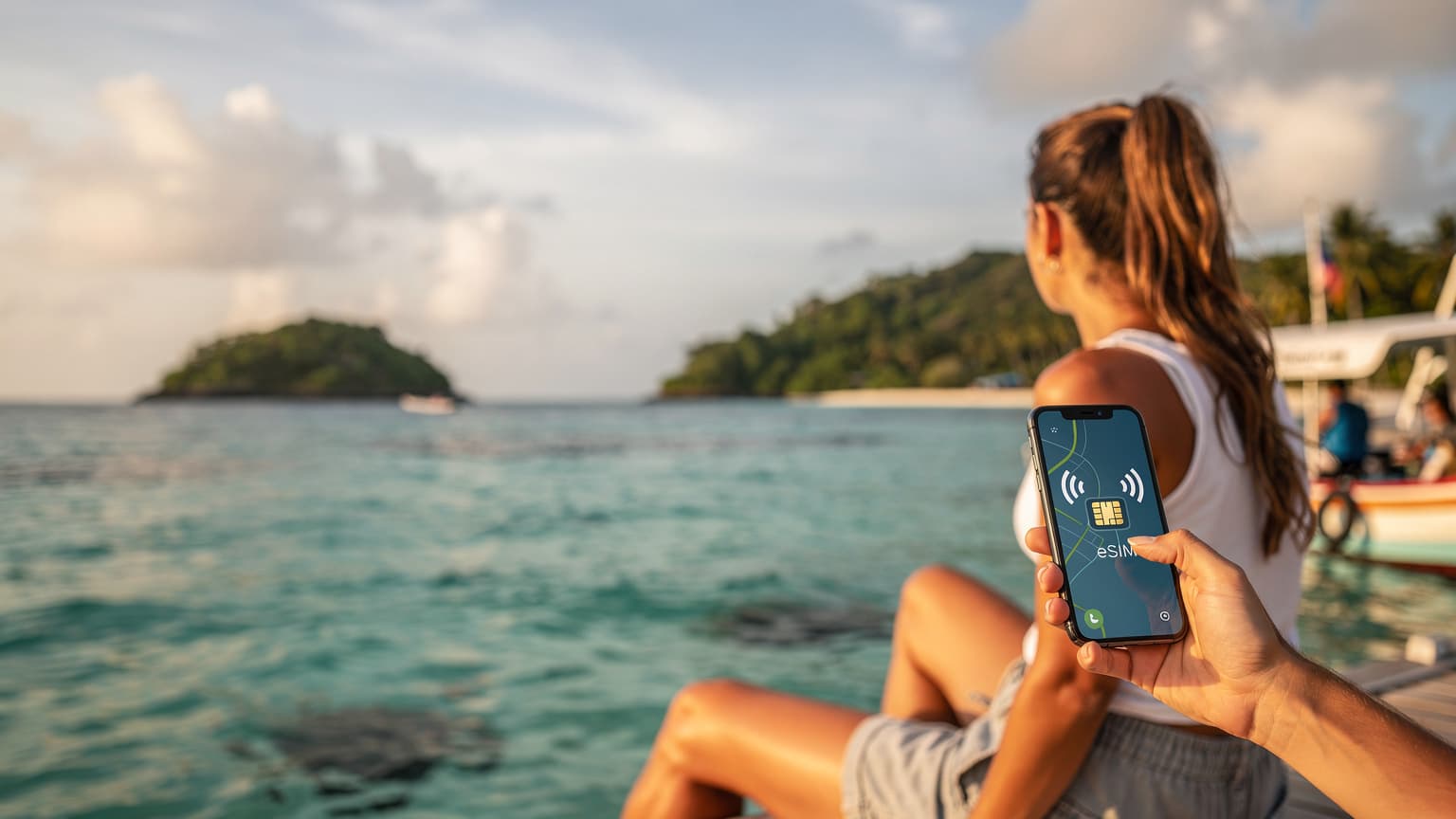

Why Choose an eSIM for the Garden Route?
Embarking on a road trip along South Africa's Garden Route, stretching from Mossel Bay to the Storms River Mouth, demands reliable connectivity. Whether you are navigating winding coastal roads, booking a shark cage diving experience in Gansbaai, or simply sharing a stunning sunset photo from a viewpoint near Plettenberg Bay, an eSIM offers a compelling solution over traditional physical SIM cards. The convenience is paramount, eliminating the need to locate a local vendor, present identification, or even grapple with tiny SIM trays in the airport. Imagine landing at George Airport, clearing customs, and having your data already active, ready for that critical GPS check to your first guesthouse in Wilderness.
Beyond the sheer ease of acquisition, an eSIM provides flexibility. You can activate it before you even leave home, ensuring you are connected the moment your plane touches down. This immediate connectivity is not just about convenience, it is a practical measure, especially when dealing with unfamiliar environments or urgent communications. It means you can seamlessly switch between your home carrier for calls and your travel data plan, a feature known as Dual SIM Dual Standby (DSDS) on most modern smartphones. This configuration is particularly useful for managing work communications while keeping your personal data separate for travel needs.
Immediate Connectivity Upon Arrival
One of the most frustrating aspects of international travel can be the scramble for connectivity upon arrival. With an eSIM, that hassle is largely eliminated. You simply purchase your data plan online, typically receiving a QR code or manual activation details via email. Once scanned or entered, the profile is downloaded to your phone's embedded SIM. This process can be completed days or even hours before your flight, meaning you arrive in South Africa with your data service pre-configured. This is a stark contrast to hunting for a Vodacom or MTN store, potentially in an unfamiliar airport or city, which can be time-consuming after a long flight. This seamless transition is especially valuable when you are driving yourself along the N2, and need instant access to mapping applications like Google Maps or Waze.
Flexibility and Multi-Country Journeys
For travelers whose itinerary might extend beyond South Africa into neighboring countries like Namibia or Botswana, an eSIM offers unparalleled flexibility. Instead of managing multiple physical SIM cards, you can store several eSIM profiles on a single device. This means you could have a regional Africa eSIM for your safari adventure, and then switch to a specific South Africa plan for your Garden Route exploration, all without changing hardware. This digital management simplifies your connectivity strategy, keeping your primary SIM active for SMS or calls while dedicating the eSIM for high-volume data usage. This is a significant advantage for those who traverse multiple borders, allowing for quick and efficient network switching.
Understanding South African Mobile Networks
South Africa's mobile network landscape is dominated by two major players: Vodacom and MTN. Both provide extensive 4G LTE coverage across the Garden Route, with increasing deployment of 5G in major towns. Understanding their capabilities and limitations is key to a smooth connectivity experience.
| Carrier | Primary 4G LTE Bands | Typical Download Speed (Mbps) | Typical Upload Speed (Mbps) | Coverage Highlights (Garden Route) |
|---|---|---|---|---|
| Vodacom | B3 (1800 MHz), B8 (900 MHz), B1 (2100 MHz), B40 (2300 MHz) | 30-150 | 5-40 | Strongest coverage along N2 and coastal towns, good in national parks. |
| MTN | B3 (1800 MHz), B8 (900 MHz), B1 (2100 MHz) | 25-130 | 4-35 | Excellent in urban centers like George, decent secondary road coverage. |
Vodacom and MTN Coverage Along the Garden Route
For most of the Garden Route, especially along the N2 highway and in popular towns like Knysna, Plettenberg Bay, and George, both Vodacom and MTN offer robust 4G LTE connectivity. Vodacom, in my experience, often has a slight edge in more remote coastal areas and within some of the national parks, leveraging its lower frequency bands like B8 for better penetration. MTN, on the other hand, frequently boasts higher capacities in urban hubs due to denser infrastructure. Speeds can vary significantly, ranging from 25 Mbps in rural stretches to over 150 Mbps in a well-served urban center like George, particularly on bands like B3 or B1.
It is important to note that these are typical speeds, and actual performance depends on network congestion, time of day, and your specific location. While 5G is expanding, primarily on band n78, its footprint along the Garden Route is currently limited to a few major towns. Most of your connectivity will rely on 4G LTE. An eSIM will dynamically connect to the strongest available partner network, typically one of these two, ensuring the best possible service for your location.
Checking Network Compatibility and Bands
Before you depart, verify that your smartphone supports the primary 4G LTE bands used by South African carriers. Most modern smartphones, especially those released in the last 3-4 years, have broad band support. However, older or region-locked devices might have limitations. For optimal performance, look for support for LTE bands B3 (1800 MHz), B8 (900 MHz), and B1 (2100 MHz). These are the workhorses of South African 4G networks. If your phone supports Carrier Aggregation (CA) across these bands, you will likely experience better throughput, combining channels for faster data. You can usually find your phone's band compatibility in its technical specifications or by consulting sites like GSMArena.
eSIM Activation: A Step-by-Step Guide
Activating an eSIM for South Africa is a straightforward process, typically taking only a few minutes. It is best done before you leave home or while connected to reliable Wi-Fi, such as at your accommodation in Cape Town before starting the Garden Route drive.
Purchasing and Downloading Your eSIM Profile
- Select your plan: Browse the available South Africa eSIM plans, considering your data needs for the duration of your trip. Options range from small data bundles for light usage to larger packages for heavy streaming or sharing.
- Purchase online: Complete the purchase securely through the provider's website. You will typically receive an email containing a QR code or manual installation details.
- Scan the QR code: On your smartphone, navigate to the cellular settings. For iPhone users, go to Settings > Cellular > Add eSIM. For Android users, it is usually Settings > Network & Internet > SIMs > Add more. Select 'Use QR Code' and scan the code provided in your email.
- Follow on-screen prompts: Your phone will guide you through the installation process, asking you to label the eSIM (e.g., 'South Africa Travel') and set it as your primary data line.
- Enable data roaming: Once installed, ensure data roaming is enabled for your new eSIM profile in your phone's cellular settings. This is crucial for the eSIM to connect to local networks upon arrival.
- Configure APN (if necessary): In most cases, the APN (Access Point Name) settings will be automatically configured. However, for certain older Android models or specific niche providers, you might need to manually input the APN details provided by your eSIM carrier. This is often 'internet' or a specific carrier-name.
Troubleshooting Common Activation Issues
While eSIM activation is generally smooth, issues can arise. Here are some common problems and their solutions:
- No service after activation: Double-check that 'Data Roaming' is enabled for your eSIM profile in your phone's settings. Also, try restarting your phone. Sometimes, a simple reboot is all that is needed for the device to register with the new network.
- QR code not scanning: Ensure your screen is clean and brightly lit. If issues persist, manually enter the SM-DP+ Address and Activation Code provided in your email.
- Incorrect APN settings: If you are struggling to get data, head into your cellular settings, find the eSIM profile, and look for 'Access Point Names'. Verify these match what your eSIM provider has specified. Sometimes, a carrier like Vodacom might have an APN like 'internet' while another might use 'data.vodacom.za'. Incorrect APN settings are a common culprit for data connectivity issues, especially on devices that are not widely distributed globally.
- Device compatibility: Confirm your phone actually supports eSIM technology. While most newer flagships do, some older or entry-level models might not. Check your phone's specifications before purchasing an eSIM.
Garden Route Itinerary: Staying Connected Day-by-Day
A typical Garden Route adventure spans several days, each offering unique landscapes and activities. Your eSIM will be your constant companion, ensuring you are never truly disconnected.
Day 1-2: Mossel Bay and Wilderness
Starting in Mossel Bay, your eSIM will facilitate easy navigation to landmarks like the Cape St. Blaize Lighthouse and the Post Office Tree. As you move towards Wilderness, a charming coastal village, you will appreciate seamless access to online reviews for restaurants or checking weather forecasts for paragliding. Both Vodacom and MTN provide solid 4G LTE coverage in these areas, with typical download speeds ranging from 40-80 Mbps, sufficient for streaming, video calls, and social media uploads.
Day 3-4: Knysna and Plettenberg Bay
Knysna, famous for its lagoon and The Heads, and Plettenberg Bay, known for its pristine beaches and marine safaris, are popular stops. Here, your eSIM will be invaluable for booking boat trips to Robberg Nature Reserve or finding the best spots for oyster tasting. Expect strong 4G LTE coverage on bands B3 and B1, with speeds potentially reaching 100 Mbps or more in the town centers. Even when hiking in areas like Robberg, you will likely maintain decent connectivity for safety and navigation. Keep an eye on your data usage, as uploading high-resolution photos and videos of the stunning scenery can consume data quickly.
Day 5-6: Tsitsikamma and Beyond
Entering the Tsitsikamma National Park offers breathtaking nature, from the iconic Storms River Mouth to the ancient forests. While connectivity can be spottier within the deepest parts of the park, major visitor centers and surrounding areas usually have reliable 4G LTE. This is where a robust network like Vodacom, with its B8 spectrum, might offer a slight advantage. Your eSIM ensures you can still access emergency services, check park information, or upload a quick photo from the suspension bridge. As you continue towards Port Elizabeth (Gqeberha), urban centers will bring back full-speed connectivity, often with speeds of 80-120 Mbps. This is a crucial point, as network availability often dictates the 'digital detox' moments of your trip, whether planned or unplanned.
Connectivity Challenges and Solutions
Even with advanced eSIM technology, remote travel can present unique connectivity hurdles. Being prepared can save you a lot of frustration.
Navigating Remote Areas and National Parks
While the Garden Route is well-serviced, some stretches, particularly within national parks or very remote coastal detours, may have limited or no mobile signal. This is less about your eSIM and more about the fundamental network infrastructure. In these situations, your eSIM will attempt to connect to any available network, but if none exists, data will simply not be available.
"I once lost signal completely on a detour near the Bloukrans Bridge, relying solely on a downloaded offline map. It was a good reminder that even the best eSIM can't conjure a tower where there isn't one."
Solutions:
- Offline maps: Download Google Maps or Maps.me for the entire Garden Route region before you go.
- Inform your accommodation: Let your guesthouse know your expected arrival time if you anticipate signal loss.
- Satellite communication (for extreme cases): For truly off-grid adventures, a satellite messenger (like a Garmin InReach) can be a lifeline, though it is likely overkill for most Garden Route travelers.
Data Speed Fluctuations and Congestion
Like any mobile network, speeds can fluctuate due to network congestion, especially during peak tourist seasons or in densely populated areas. An eSIM connects to the same local infrastructure as a physical SIM, so it is subject to the same physical limitations. For instance, in peak summer at a crowded beachfront in Plettenberg Bay, you might see speeds drop from a typical 80 Mbps to 20-30 Mbps, still perfectly usable but noticeably slower. The key is setting realistic expectations.
Cost Analysis: eSIM vs. Traditional Roaming
When considering connectivity options for South Africa, comparing the costs of an eSIM to traditional roaming or even local physical SIMs reveals significant advantages for the eSIM.
Why eSIMs Are Often More Economical
Traditional international roaming charges from your home carrier are notoriously expensive, often costing several dollars per megabyte, quickly adding up to hundreds of dollars for even moderate data usage. An eSIM bypasses these exorbitant fees by providing access to local data rates through partner networks. For example, a 10 GB eSIM plan for South Africa might cost around $20-30 USD, valid for 30 days. This offers a predictable, upfront cost, allowing you to budget your data expenses accurately. This contrasts sharply with the uncertainty of a roaming bill, which can often lead to 'bill shock' upon returning home. Compared to alternatives like Airalo eSIM alternatives, our plans are structured to offer similar data volumes at competitive price points.
Comparing eSIM to Local Physical SIMs
While a local physical SIM from Vodacom or MTN might offer slightly cheaper per-gigabyte rates in some cases, the convenience factor of an eSIM often outweighs the marginal cost difference for short-term travelers. Buying a local SIM means:
- Locating a store: Finding a Vodacom or MTN outlet at the airport or in town.
- Registration requirements: South Africa requires RICA registration for all SIM cards, which involves providing a valid ID (passport) and proof of address (often problematic for tourists). This process can be lengthy and confusing.
- Physical swapping: Dealing with tiny SIM cards and potentially losing your home SIM.
For a two-week Garden Route trip, the time and effort saved by using an eSIM, especially avoiding the RICA process, makes it a superior choice for many tourists. It is a trade-off between absolute lowest cost and maximum convenience, with eSIMs hitting a sweet spot for most.
Managing Your eSIM Data Like a Pro
Effective data management ensures you do not run out of connectivity at a critical moment during your Garden Route adventure. Here are some tips to keep your data usage in check.
Monitoring Usage and Topping Up
Most smartphones offer built-in data usage monitors in their cellular settings, allowing you to track how much data your eSIM profile has consumed. Additionally, your eSIM provider will usually have an app or a web portal where you can view real-time usage and purchase additional data if needed. Set data alerts on your phone to notify you when you approach your limit, giving you time to top up before you are completely cut off. This proactive approach prevents unexpected disconnections. Consider a quick read of our FAQ for more details on managing your data plans.
Optimizing App Settings for Data Conservation
Many apps consume data in the background, even when you are not actively using them. Take a few moments to optimize your app settings:
- Disable background app refresh: For apps not critical to real-time updates, turn off background refresh in your phone's settings.
- Download media over Wi-Fi: Save large files, podcasts, movies, and even large map areas when you have access to hotel Wi-Fi.
- Lower streaming quality: If you are streaming video, reduce the quality settings to consume less data.
- Turn off automatic updates: Ensure apps and your operating system do not automatically update over mobile data.
- Use Wi-Fi calling: When available, use Wi-Fi calling for voice calls to save on potential per-minute roaming charges from your home SIM, or if your eSIM plan does not include voice.
VoLTE and VoWiFi Considerations in South Africa
Voice over LTE (VoLTE) and Voice over Wi-Fi (VoWiFi) are essential technologies for modern voice communication. Understanding their status with an eSIM in South Africa is important.
Making Voice Calls with Your eSIM
Most data-only eSIMs do not natively support traditional voice calls (circuit-switched calls) or SMS. This means you cannot make or receive calls using a standard South African phone number associated with your eSIM. However, this is rarely an issue for modern travelers. You can still make calls using Voice over IP (VoIP) apps like WhatsApp, FaceTime, Google Meet, or Skype, which rely solely on data. Your original physical SIM from home will typically remain active for calls and SMS, even if you disable its data roaming. This allows you to receive important calls or texts to your home number while using the eSIM for all your data needs. Some premium eSIMs might offer a local number, but these are less common for short-term travel plans.
The Importance of VoLTE and VoWiFi Support
VoLTE is crucial for high-quality voice calls over 4G LTE networks, while VoWiFi allows you to make calls over any Wi-Fi connection. In South Africa, both Vodacom and MTN widely support VoLTE. If your home carrier supports VoLTE roaming (which is becoming more common), and your phone is compatible, you might be able to make calls on your primary SIM using the local South African LTE network for better quality. VoWiFi is also supported by most major carriers globally, allowing you to make calls to your home number even when you have no cellular signal, provided you have a Wi-Fi connection. Always check with your home carrier about their VoLTE and VoWiFi roaming policies. Without proper VoLTE support, your phone might drop to 3G or even 2G for voice calls, impacting call quality in areas where older networks are being phased out.
The Technical Nuts and Bolts of eSIM Performance
Delving a bit deeper into the underlying technology helps demystify how eSIMs deliver seamless connectivity.
How Your eSIM Interacts with Local Infrastructure
When you activate an eSIM, your device downloads a subscriber profile that contains all the necessary credentials to authenticate with a specific mobile network operator. In South Africa, your eSIM provider will have roaming agreements with local carriers, usually Vodacom or MTN. This means your phone, using the eSIM profile, effectively acts as a local subscriber on their network. The connection path involves your phone communicating with the nearest base station, which then routes your data traffic through the carrier's core network. This entire process is orchestrated to provide a secure and efficient data link.
IPv6-Only and CGNAT Considerations
As a network engineer, I often encounter questions about IP addressing schemes. Many mobile networks globally, including in South Africa, are increasingly deploying IPv6-only networks or utilizing Carrier-Grade Network Address Translation (CGNAT) for IPv4 addresses. CGNAT means that multiple subscribers share a single public IPv4 address, which can occasionally cause issues with certain applications that require direct incoming connections or peer-to-peer functionality (though this is rare for typical tourist usage). Similarly, if your eSIM connects to an IPv6-only network, and you need to access an older IPv4-only service, the network will handle the translation via a mechanism like NAT64/DNS64. For most travelers, this is transparent, but if you are running a VPN or a specific remote access tool, it is worth being aware of these underlying architectural choices. Most standard web browsing, streaming, and messaging will be unaffected, but it is a subtle point where an eSIM differs minimally from a local SIM in terms of fundamental network access.
Frequently Asked Questions
What is the best eSIM for South Africa's Garden Route?
For the Garden Route, an eSIM that partners with Vodacom or MTN is generally best due to their extensive coverage. Look for plans with ample data, typically 5-10 GB, to cover navigation, social media, and communication needs for a week or two. Evaluate plans based on duration and data volume rather than just price.
Can I make calls with my South Africa eSIM?
Most travel eSIMs for South Africa are data-only, meaning they do not come with a local phone number for traditional calls or SMS. However, you can easily make calls using VoIP apps like WhatsApp, FaceTime, or Google Meet, which rely on your data connection. Your home SIM can remain active for receiving calls and texts to your primary number.
How do I activate an eSIM for South Africa?
To activate your eSIM, purchase a plan online and receive a QR code via email. Go to your phone's cellular settings, select 'Add eSIM' or 'Add Mobile Plan', and scan the QR code. Follow the on-screen prompts, label your eSIM, and ensure data roaming is enabled for the new profile. It is best to do this before you travel or while connected to Wi-Fi.
Will my eSIM work in remote areas of the Garden Route, like national parks?
While major towns and the N2 highway have good eSIM coverage through Vodacom and MTN, signal can be limited or absent in very remote parts of national parks like Tsitsikamma. It is always advisable to download offline maps and inform your accommodation of your itinerary if you plan to venture into truly isolated areas. Your eSIM will connect to the best available network, but physical infrastructure limits apply.
Is an eSIM better than a physical local SIM in South Africa?
For most short-term travelers, an eSIM is generally more convenient than a local physical SIM. It avoids the hassle of finding a store, completing the RICA registration process (which requires a passport and proof of address), and physically swapping SIM cards. While local SIMs might offer slightly lower per-gigabyte costs, the time and effort saved with an eSIM often make it the superior choice.