


Cape Town's Digital Pulse: Why Connectivity Matters More Than Ever
Cape Town isn't just a picturesque postcard destination, it's a burgeoning hub for remote workers and digital entrepreneurs. From the bustling co-working spaces in Woodstock to the serene beachfront cafes of Camps Bay, opportunities to merge work with an incredible lifestyle abound. However, the seamless integration of work and travel hinges on one critical factor, robust and reliable internet connectivity. A drop in a video call or a stalled file upload can quickly turn a productive day into a frustrating one.
As a network engineer, I've spent enough time debugging cellular handovers to know that perception often trumps reality in connectivity. While public Wi-Fi spots are plentiful, their actual performance, especially during peak hours, can be a lottery. Relying solely on cafe Wi-Fi for critical client meetings or large data transfers is a gamble I wouldn't recommend. This is where the personal, dedicated connection an eSIM provides becomes not just a convenience, but a professional necessity. Think of it as your private, high-speed fiber line, but in your pocket, (or rather, in your phone's silicon).
The shift towards remote work means that traditional notions of an 'office' are obsolete. Your office is now your phone and laptop, and your connectivity needs to match that flexibility. Cape Town offers a diverse range of working environments, from the vibrant hub of the CBD to the more relaxed coastal towns like Simon's Town. An eSIM ensures that your mobile workstation is always online, irrespective of your physical location, offering the freedom to truly explore and work without compromise.

Decoding South African Networks: A Look at the Major Players
Understanding the underlying network infrastructure is crucial for any digital nomad. South Africa's mobile landscape is dominated by three main carriers: Vodacom, MTN, and Telkom. Each has its strengths, particularly when it comes to regional coverage and specific frequency bands.
Vodacom: A Reliable Backbone
Vodacom generally boasts the widest coverage, particularly in more rural areas, though its pricing can be on the higher side. For Cape Town, you'll find strong 4G LTE (B3, B1, B7) and growing 5G (n78, n1) penetration. In central Cape Town, like the Gardens or De Waterkant, I've consistently seen speeds ranging from 50 Mbps to 150 Mbps download and 10 Mbps to 40 Mbps upload on 4G. 5G, where available, can push past 300 Mbps download, though consistency varies. Their network tends to handle congestion well, a critical factor for video conferencing.
MTN: Speed and Urban Reach
MTN offers competitive speeds, especially in urban centers. Their 4G LTE footprint (B3, B1, B7, B20) is strong in Cape Town, and their 5G rollout (primarily n78) is robust in key business districts and affluent residential areas. I've benchmarked MTN in areas like Constantia and Claremont, observing average downloads of 70-180 Mbps and uploads of 15-50 Mbps on 4G. Their network excels in peak performance, though some users report slightly less rural coverage than Vodacom. For a digital nomad primarily operating within the city bowl and surrounds, MTN is a solid choice.
Telkom: A Budget-Friendly Option with Caveats
Telkom often provides more budget-friendly data packages, but their network coverage, particularly for 4G (B1, B3, B20), can be spottier outside major metropolitan areas. In Cape Town, their urban coverage is decent, but venturing further afield to places like the West Coast can quickly reveal gaps. Speeds in well-covered Telkom areas might hover around 30-80 Mbps download and 5-20 Mbps upload. They're a viable option if cost is your absolute priority and your work is strictly confined to central, well-populated areas.
| Carrier | Primary 4G Bands (Cape Town) | Typical 4G Speeds (DL/UL Mbps) | 5G Availability (Bands) |
|---|---|---|---|
| Vodacom | B3 (1800MHz), B1 (2100MHz), B7 (2600MHz) | 50-150 / 10-40 | Good (n78, n1) |
| MTN | B3 (1800MHz), B1 (2100MHz), B7 (2600MHz), B20 (800MHz) | 70-180 / 15-50 | Strong (n78) |
| Telkom | B1 (2100MHz), B3 (1800MHz), B20 (800MHz) | 30-80 / 5-20 | Limited (n78) |
eSIM vs. Traditional SIM: The Digital Nomad's Dilemma
For the uninitiated, an eSIM is essentially a digital SIM card, embedded directly into your device. This means no more fiddling with tiny plastic cards, no more searching for local vendors, and crucially, no more losing your home SIM. For a digital nomad, this isn't just a convenience, it's a fundamental shift in how you manage your connectivity.
The Pain Points of Physical SIMs in South Africa
Acquiring a traditional SIM card in South Africa involves a process known as RICA (Regulation of Interception of Communications and Provision of Communication-Related Information Act). This requires proof of identity (passport) and proof of residence (accommodation booking or utility bill). While necessary for security, it adds an extra layer of bureaucracy and time upon arrival. For someone landing at Cape Town International (CPT) and needing to be online immediately for work, this delay can be a significant hurdle. Furthermore, juggling multiple physical SIMs when traveling across multiple countries is a logistical nightmare.
The eSIM Advantage: Agility and Control
With an eSIM, you can purchase and activate a data plan for South Africa before you even board your flight. This means stepping off the plane at CPT with data already active, ready for ride-sharing apps, navigation, and, most importantly, immediate work access. This agility is a game-changer for digital nomads who often find themselves working across time zones and needing to be responsive the moment they land.
Another significant advantage is the ability to manage multiple profiles. Most modern phones support several eSIM profiles simultaneously. This allows you to keep your home country's physical SIM active for calls and texts (if desired, though remember to turn off data roaming to avoid bill shock) while using an eSIM for local data. This dual-SIM functionality is particularly useful for maintaining contact with clients or family on your primary number without incurring exorbitant international roaming charges.
| Feature | eSIM | Traditional Physical SIM |
|---|---|---|
| Activation Time | Minutes, before arrival | Hours to days, upon arrival (RICA process) |
| Physical Handling | None, digital download | Requires tiny plastic card, SIM tray tool |
| Multiple Profiles | Yes, easily switch between plans | Requires swapping cards, easy to lose |
| Global Travel | Seamless for multi-country trips | Inconvenient for frequent country changes |
| Security | Less susceptible to physical theft/loss | Can be stolen or lost easily |
| Availability | Online purchase, 24/7 | Local stores, business hours |
The Power of eSIM: Activation Before You Land
Imagine landing in a new city, bleary-eyed from a long flight, and needing to book an Uber, check a client email, or simply tell loved ones you've arrived safely. With an eSIM, this is a non-issue. The ability to activate your data plan from home, before your departure, is a workflow optimization that pays dividends in reduced stress and immediate productivity.
A Seamless Onboarding Process
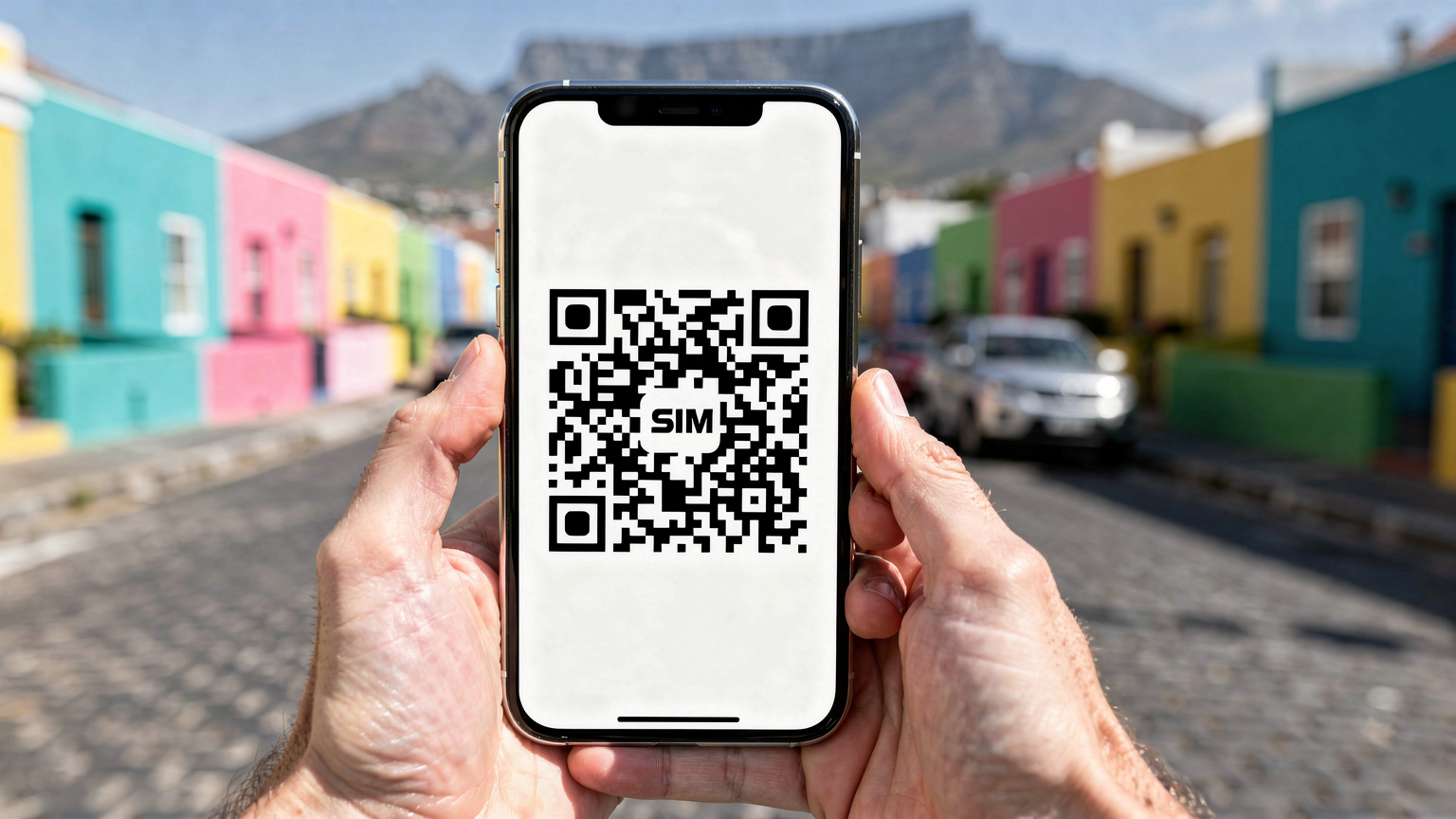
The activation process for an eSIM is remarkably straightforward. Typically, it involves scanning a QR code or manually entering a few details into your phone's settings. The profile downloads and configures itself, usually within minutes. This means you can get your iPhone eSIM setup handled while you're still enjoying your morning coffee back home, a stark contrast to waiting in line at a local mobile store in a foreign country.
For those using more recent iPhone models (like the iPhone 17), the process is even more streamlined. Apple has invested heavily in making eSIM management intuitive, allowing users to activate new profiles with minimal fuss. This pre-arrival activation is particularly valuable for digital nomads who have tight schedules and cannot afford downtime searching for local SIM cards or dealing with RICA registration requirements.
My Personal Experience with Pre-Activation
I recall a trip to Greece where a critical project deadline loomed. I landed in Athens, expecting to pick up a local SIM, only to find the mobile stores at the airport closed due to a public holiday. The panic was real. Had I used an eSIM, that entire stressful episode would have been averted. It's these kinds of real-world scenarios that solidify the eSIM's position as a digital nomad's best friend. For those who frequently travel, activating an eSIM before you land can save you from similar headaches.
Optimising Your eSIM for Remote Work in Cape Town
Having an eSIM is only half the battle, the other half is ensuring it's configured and utilized for maximum efficiency in a remote work context. This goes beyond just having a signal, it's about network performance, data management, and seamless integration with your workflow.
Choosing the Right Data Plan for Your Needs
Consider your typical data consumption. Are you mostly checking emails and browsing, or are you involved in frequent video conferences, large file transfers, and cloud-based applications? South Africa offers various data packages, from daily bundles to monthly plans with larger allocations. For heavy users, look for plans with generous data caps, or even unlimited data options if available, though these often come with fair usage policies that throttle speeds after a certain threshold. Always check the fine print for speed caps or data prioritization nuances.
I advise benchmarking your daily data usage before you travel. Most smartphones track this in their settings. If you typically burn through 5-10GB a week, a 20GB monthly plan might seem ample, but remember that video calls can be surprisingly data-intensive. A standard 1-hour video call typically consumes between 0.8GB to 2GB, depending on quality. If you're doing several of these a day, your data will evaporate quickly.

Tethering and Hotspot Functionality
Your eSIM-enabled phone can serve as a mobile hotspot, providing internet access to your laptop, tablet, or other devices. This is invaluable when working from cafes with unreliable Wi-Fi or from scenic spots without any Wi-Fi at all. Ensure your chosen eSIM plan allows for hotspot usage, as some budget plans may restrict this feature. When using your phone as a hotspot, keep an eye on your battery life, as it can drain quickly. Consider carrying a portable power bank, especially if you plan extended work sessions away from power outlets.
Navigating Network Quirks: VoLTE, VoWiFi, and APN Settings
As a telecom engineer, I know the devil is often in the details when it comes to mobile connectivity. These seemingly minor settings can make a huge difference to your daily experience as a digital nomad.
VoLTE and VoWiFi: The Voice Connection
VoLTE (Voice over LTE) and VoWiFi (Voice over Wi-Fi) are critical for high-quality voice calls, especially when your primary SIM is not active or you're relying solely on data. Most modern eSIM profiles from reputable providers will support VoLTE, allowing you to make crystal-clear calls over the 4G network. VoWiFi extends this to Wi-Fi networks, which is incredibly useful in areas with poor cellular signal but strong Wi-Fi. Always check if your specific eSIM plan and device support these features. Some older phone models or specific regional firmware versions might have issues enabling VoLTE, leading to dropped calls when the phone tries to fall back to 2G/3G for voice. This can be particularly frustrating during important client calls.
APN Settings: A Rare but Important Edge Case
An APN (Access Point Name) defines the path your device uses to connect to the internet. Most eSIMs auto-configure this, but occasionally, particularly with certain Android devices or specific MVNOs (Mobile Virtual Network Operators), you might need to manually input the APN settings. If your data isn't working despite having a strong signal, this is the first place to check after restarting your phone. Common APNs for South African carriers are fairly standard (e.g., 'internet' for Vodacom/MTN), but always confirm with your eSIM provider if you face connectivity issues. I've seen edge cases with some older Samsung Galaxy models and specific international firmware where the default APN fails, necessitating manual entry. A quick Google search for "[carrier name] APN settings South Africa" usually provides the correct parameters.
Cost Efficiency: Beyond the Daily Espresso
One of the primary drivers for digital nomads is often cost-effectiveness, and an eSIM can significantly contribute to keeping your connectivity expenses in check compared to traditional roaming or constantly seeking paid Wi-Fi.
Avoiding Roaming Fees: A Significant Saving
International roaming charges can quickly accumulate into a substantial bill. By using a local eSIM, you're effectively paying local rates for data, which are almost always significantly cheaper than roaming. This isn't just about saving a few dollars, it's about avoiding the psychological burden of constantly monitoring your data usage lest you incur a massive charge. Imagine trying to collaborate on a complex project with a client in a different time zone, constantly worried about your phone bill. An eSIM removes that anxiety, allowing you to focus purely on your work.
Flexible Plans for Flexible Lifestyles
eSIM providers often offer a range of plans tailored to different travel durations and data needs. You can buy a 7-day plan for a short work sprint, or a 30-day plan if you're settling in for a month. This flexibility is ideal for the unpredictable nature of digital nomad life, allowing you to scale your data consumption up or down as required, without long-term contracts. This contrasts sharply with some local SIMs which might push you towards longer, less flexible contracts or bundles that don't quite fit your transient needs. For additional flexibility, check out eSIMs for South Africa that offer various data packages.
Staying Connected on the Move: From Camps Bay to Stellenbosch
Cape Town's allure lies in its diverse environments, from the vibrant urban core to the tranquil wine lands. As a digital nomad, your office might shift from a cafe in Sea Point to a guesthouse in Stellenbosch. Your eSIM needs to keep up.
Urban Mobility and Network Consistency
Within Cape Town's city bowl, and popular suburbs like Green Point, Sea Point, and Gardens, network coverage is generally excellent across Vodacom and MTN. You can seamlessly transition from working at a cafe on Bree Street to taking a call while walking along the promenade. However, as you move towards more residential or less dense areas, network performance can vary. Areas like Hout Bay or parts of Constantia, while beautiful, might experience slight dips in signal strength or speed, especially indoors. Always check coverage maps from the major carriers if you plan to base yourself in a specific niche neighborhood. (I always consult their official maps, which are usually quite accurate for predicting performance.)

Regional Excursions: Winelands and Coastal Towns
Many digital nomads venture out for weekend trips or even extended stays in surrounding areas like Stellenbosch, Franschhoek, or Hermanus. While these towns are popular and generally well-connected, the journey between them, particularly through mountainous regions, can lead to areas of weak or no signal. For instance, driving along Clarence Drive towards Hermanus offers breathtaking views, but cellular service can be intermittent. If you foresee working during these excursions, consider a carrier with robust rural coverage like Vodacom. Remember, even in the picturesque vineyards of Stellenbosch, you might be relying on a single cell tower, so performance might not always match urban benchmarks.
Troubleshooting Common eSIM Issues on the Go
Even with the best planning, technical hiccups can occur. Knowing how to quickly troubleshoot common eSIM problems can save you valuable work time and prevent unnecessary stress.
No Service or No Data?
If your eSIM shows 'No Service' or you have a signal but no data, here's a quick checklist:
- Restart your device: The classic IT solution, but surprisingly effective for network registration issues.
- Check eSIM profile status: Go into your phone's cellular settings and ensure your eSIM profile is turned on and selected for cellular data.
- Verify APN settings: As mentioned, sometimes manual input is needed. Double-check with your eSIM provider's support documentation.
- Toggle Airplane Mode: Turning Airplane Mode on and off can force your phone to re-register with the network.
- Network selection: Ensure your phone is set to automatically select the network. If not, try manually selecting one of the supported local carriers (Vodacom, MTN, Telkom).
Slow Speeds or Intermittent Connection?
If you're experiencing sluggish speeds or frequent disconnections:
- Check local coverage: Use a third-party app like OpenSignal or consult the carrier's official coverage map for your exact location. Signal strength bars are notoriously unreliable indicators of actual bandwidth.
- Move locations: Sometimes, simply moving a few meters, or relocating from indoors to outdoors, can significantly improve signal quality. Obstructions like thick walls or being deep inside a building can attenuate radio waves.
- Test another device: If possible, try your eSIM in another compatible device to rule out a phone-specific issue.
- Contact support: If all else fails, reach out to your eSIM provider's customer support. They can often diagnose network-side issues or verify your plan's status. They might also be able to advise if the local network is experiencing congestion or maintenance. This is where a good provider with 24/7 support shines, a true lifeline when you're working remotely and need answers fast.
Final Thoughts: Your eSIM as Your Cape Town Co-Pilot
Cape Town offers an unparalleled backdrop for digital nomads, blending stunning natural beauty with a dynamic urban environment. But to truly thrive and remain productive in this incredible city, reliable and flexible connectivity is non-negotiable. An eSIM isn't just a data plan, it's a strategic tool that empowers you to work from anywhere, anytime, without the administrative burden of traditional SIM cards or the unpredictable nature of public Wi-Fi.
From making crucial client calls with VoLTE support to uploading large project files from a co-working space in Woodstock, your eSIM acts as your silent co-pilot, ensuring you're always connected. It frees you to explore the vibrancy of Bo-Kaap, hike Table Mountain, or relax by the ocean in Camps Bay, all while maintaining the professional edge you need. So, pack your laptop, charge your phone, and activate your eSIM. Cape Town awaits, and your office is wherever you want it to be.
Frequently Asked Questions
Which South African mobile network is best for an eSIM in Cape Town?
For digital nomads in Cape Town, Vodacom and MTN generally offer the best balance of coverage and speed. Vodacom has slightly wider reach, while MTN provides excellent speeds in urban areas. Both support 4G LTE (B3, B1, B7) and growing 5G (n78) networks for reliable remote work.
Can I use my eSIM for hotspot tethering in Cape Town?
Yes, most eSIM plans designed for travelers in South Africa will allow hotspot tethering, enabling you to share your mobile data with your laptop or other devices. Always verify this feature with your specific eSIM provider to ensure it's included in your chosen plan.
What speeds can I expect from an eSIM in Cape Town?
On 4G LTE, you can typically expect download speeds of 50-180 Mbps and upload speeds of 10-50 Mbps with Vodacom or MTN in Cape Town's urban centers. 5G, where available, can exceed 300 Mbps download, though actual speeds vary based on location, network congestion, and device.
Do I need to register my eSIM with RICA in South Africa?
No, one of the significant advantages of using an eSIM from an international provider is that you bypass South Africa's RICA registration process, which is required for local physical SIM cards. Your eSIM is activated remotely, saving you time and administrative hassle upon arrival.
What should I do if my eSIM isn't connecting to the internet?
First, restart your device and ensure the eSIM profile is active in your phone's cellular settings. Toggle airplane mode on and off. If issues persist, check the APN settings (usually 'internet' for major carriers) and manually try selecting a network (Vodacom, MTN). If all else fails, contact your eSIM provider's support.
Can I keep my home country's SIM active while using an eSIM for data?
Yes, most modern smartphones with eSIM capability support dual SIM functionality. You can keep your physical SIM from your home country active for calls and texts while using your eSIM for all your data needs in Cape Town. Remember to disable data roaming for your physical SIM to avoid unexpected charges.